
Whether you need your own render farm software license depends on the service model and the engine. Here is how to check before you upload.
Quick summary
Whether you need your own render farm software license depends on the service model and the engine. This guide compares three licensing models with provider examples, then gives a checklist you can run before you upload a job.
Topic: render farm software license
- Managed farms often hold render-engine licenses, but you still need your own authoring seat
- Remote-machine services usually expect you to license software yourself, or to request a provider license
- Some engines need your own license on a farm, for example Arnold on GarageFarm
- Ask in writing, then test one frame before you submit the full job
You may not need to buy a separate render farm software license for every render, but you should never assume it. A managed farm often holds the render-engine licenses, while a remote machine usually expects you to bring or request your own. Because the rules differ by provider and by engine, the safest step is to ask before you upload.
This guide separates three licensing models, shows what specific providers state about specific software, and ends with a checklist. Provider statements are labelled as vendor content, and licensing terms change, so confirm the current terms before you commit. For the wider workflow, see our guide on how to use a render farm for animation.
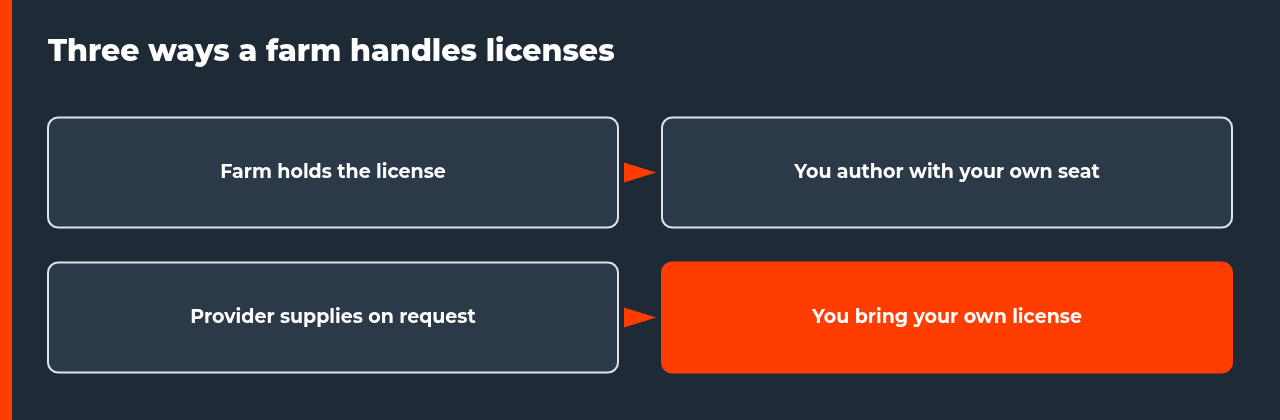
The three models behind every render farm software license question
Almost every render farm software license policy falls into one of three patterns. The labels are ours, and individual providers mix them, but they make the questions easier to ask.
| Model | Who holds the license | What you do | Example from provider sources |
|---|---|---|---|
| Farm-held | The farm holds render-engine licenses for its nodes | Author with your own seat, then submit | RebusFarm states it has been officially licensed for Redshift since 2017 |
| Provider-supplied on request | The provider supplies a license for a remote machine | Request it, then activate it on the machine | iRender documents a request route for Octane licenses, with conditions |
| Bring your own license | You supply the license | Provide the key, seat or network license | GarageFarm requires your own Arnold license |
The first model is the simplest for you, because the license work happens on the farm side. The third model gives you the most control and the most setup work. None of the models removes your need for a legitimate license for the software you use to build the scene.
What providers state about specific software
The examples below come from provider documentation read on 16 November 2026. They are statements by the providers, and we have not audited them. They show how different the answers are, even for popular engines.
| Software | What the source states | Check before you submit |
|---|---|---|
| Blender Cycles | Blender is free and open-source software under the GPL; Cycles needs no purchased license | Supported Blender version and add-on terms |
| Octane on iRender | Customers can bring their own license; iRender supplies licenses by request, approved only for prime customers, with a $1,500 accumulated deposit | Which route applies to your account |
| Arnold on GarageFarm | You must provide your own Arnold license; single-user subscriptions are not supported; you need a multi-user subscription and a network license | Whether your Autodesk plan qualifies |
| Redshift on RebusFarm | The farm states it is a fully licensed Redshift farm, officially licensed since 2017 | Your own authoring seat and plugin support |
| Cinema 4D on your own farm | Team Render licenses cannot be used with third-party render managers; Commandline Render licenses are needed | Number of Commandline licenses per seat |
Notice that the same question has four different answers. That is why a general rule such as “the farm handles it” is unsafe. Our Maya and Arnold cloud rendering guide covers the Arnold side in more detail.
Authoring seat or render license: the render farm software license distinction
Two licenses are easy to confuse. The authoring seat is the one you use to open the application and build the scene. The render license is the one a machine consumes to produce the frames. A managed farm that holds the render license usually still expects you to hold a legitimate authoring seat, because you still build and save the scene on your own computer.
On a remote machine, you may do both on the same machine, so the question becomes which seat that machine uses. This is where licenses tied to a person or a single machine create problems. A subscription that allows one user on one computer may not cover a rented machine, and the provider cannot decide that for you. Ask the software vendor, not only the farm.
| Model | Likely cost on the farm side | Likely cost on your side |
|---|---|---|
| Farm-held | Often built into the render rate; confirm what is included | Your authoring seat |
| Provider-supplied on request | May depend on account level or deposit, as in the Octane example | Your authoring seat, plus any provider conditions |
| Bring your own license | Usually no license charge from the farm | The license itself, which may need a multi-user or network plan |
We do not list license prices here, because they change and differ by region. Use the vendor’s own price page, and compare total cost, not only the render rate. Our guide on IaaS versus SaaS render farms explains why the service model changes where licensing work lands.
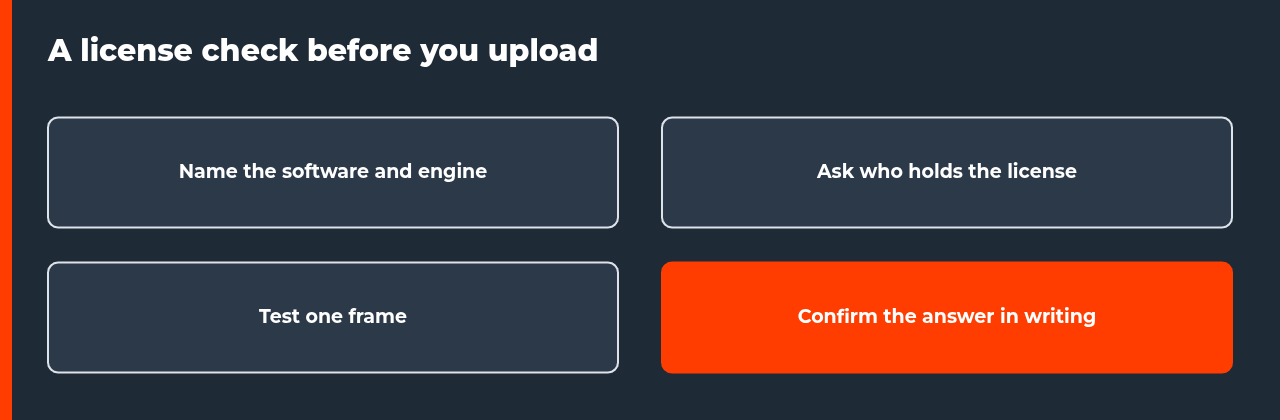
Step-by-step: check licensing before you upload
- List every application, render engine and plugin in the scene, with version numbers.
- For each item, ask the farm whether it holds the license, supplies one on request, or expects yours.
- Ask whether your authoring plan is accepted, for example single-user versus multi-user subscriptions.
- Ask whether any license fee is charged separately from the render rate, and get the answer in writing.
- Run one test frame and confirm that it renders without license errors.
- Only then submit the full job, and keep the written answers with your project notes.
Activation steps on a remote render machine
On a remote machine, you may have to activate a license yourself. iRender’s documentation describes a License Management app that you install from the X drive. You enable the key license on the machine through the Software License menu, then log in and connect the license inside the app. The page says the Maxon app is also required.
The Octane page adds three warnings. Connect the License Management app before you open Octane. For Blender with Octane, activate the license while you use the server and deactivate it before shutdown. Disconnecting the License Management app disables the license. If you skip the deactivation step, you can end up blocked on the next session, so build it into your shutdown routine.
These steps belong to one provider, and other providers use different tools. The general lesson is that a render farm software license on a rented machine is a task you perform, not a setting that someone else flips for you.
Plugins have licenses too
Plugins and add-ons multiply the problem. iRender’s own blog notes that a plugin may require a license tied to a specific machine or user, which makes pre-installation on shared nodes difficult. That is one reason a managed farm may not support every plugin, and why a remote machine, where you install your own plugin with your own license, is sometimes the cleaner choice.
If your scene depends on an unusual plugin, check support before you plan the schedule. Our guide on plugins that fail on a render farm walks through the symptoms and the options.
Questions to ask support
| Question | Why it matters |
|---|---|
| Who holds the render-engine license? | Decides whether you must bring your own |
| Is my authoring plan accepted? | Some plans are not supported on farms |
| Which software and plugin versions are covered? | Licenses can be version-specific |
| Is any fee separate from the render rate? | Avoids a bill that was not in the quote |
| What happens if the license fails mid-job? | Tells you who bears the lost time |
A provider that answers these clearly is usually easier to work with than one that answers with a general statement. If the answers are vague, treat that as information about the support you will get later.
A render farm software license question rarely blocks a project once it is asked early. It blocks projects when it is discovered after the upload, at the point where changing course costs time. Ask first, test one frame, and keep the answers in writing.
FAQ: render farm software license
Do I need my own render farm software license?
It depends on the service model and the software. On a managed farm, the farm often holds the render-engine licenses, but you still need your own seat to author the scene. On a remote machine, you usually install and license software yourself unless the provider supplies a license. Some engines, such as Arnold on GarageFarm, require you to provide your own.
Does Blender Cycles need a license on a render farm?
No license purchase is needed for Cycles itself, because Blender is free and open-source software released under the GPL. That is a licensing fact about the software, not a promise about every farm. Check that the farm supports your Blender version and any add-ons, because add-ons can have their own terms.
Why does GarageFarm ask for my own Arnold license?
GarageFarm’s Maya guide states that Autodesk changed the licensing model for render farms, so GarageFarm can no longer offer its own license through the service. It says you must provide your own Arnold license, that single-user subscriptions are not supported, and that you need a multi-user subscription and a network license. Confirm current terms with the farm before you submit.
Can I bring my own Octane license to a remote render machine?
iRender’s Octane license page says customers can bring their own Octane license to the server and activate it there. It also describes a request route for licenses supplied by iRender, which it says is approved only for prime customers and requires an accumulated deposit of $1,500. These are vendor statements read on 16 November 2026, so confirm them with support.
Do Cinema 4D Team Render licenses work on a render farm?
Maxon’s support article says Team Render licenses cannot be used with third-party render management software. Tools such as Deadline, Qube or Royal Render need a separate Commandline Render license, and Maxon Teams seats include two per seat. This applies to a farm you build yourself. For a service, ask the provider which licenses it holds.
What should I ask a render farm about licensing before I upload?
Ask who holds the render-engine license, whether you need your own seat for authoring, which software and plugin versions are covered, whether single-user subscriptions are accepted, and whether any fee is charged separately. Ask for the answer in writing, then test with one frame before you submit the full job.
Does a plugin need its own license on a render farm?
Often, yes. A plugin may carry a license tied to a specific machine or user, which makes pre-installation on shared nodes difficult. iRender’s own blog notes this as a reason a farm may not support a plugin. Check the farm’s supported plugin list, and our guide on plugins that fail on a farm explains the alternatives.
Sources
- iRender documentation, Octane License at iRender, read 16 November 2026 (vendor documentation)
- iRender documentation, Instructions to activate and use licenses key, read 16 November 2026 (vendor documentation)
- iRender blog, My Plugin Isn’t Supported on the Render Farm, 27 August 2026 (vendor content)
- GarageFarm.NET, Maya Arnold guide, read 16 November 2026 (vendor documentation)
- RebusFarm, Redshift render farm page, read 16 November 2026 (vendor claim)
- Maxon Support, Can I use my Team Render licenses to set up a render farm?, read 16 November 2026

COMMENTS