

Discover the top 5 best software for architecture in 2026, including AutoCAD, Revit, SketchUp Pro, Rhino, and ArchiCAD. Learn about their features, pros, and cons to find the perfect tool for your architectural projects.
Choosing the right software is one of the most crucial decisions for architects, especially for beginners who first step into this field. In this constantly evolving industry, the right tools can make a huge difference in workflow, collaboration, and the overall quality of architectural designs. Therefore, this article aims to share insights into the Top 5 best software for Architecture in 2026, based on valuable experiences and opinions from friends, colleagues, and the wider 3D artist community that I collected. These recommendations can serve as a helpful starting point for anyone looking to explore the best tools available for architectural work.
1. AutoCAD
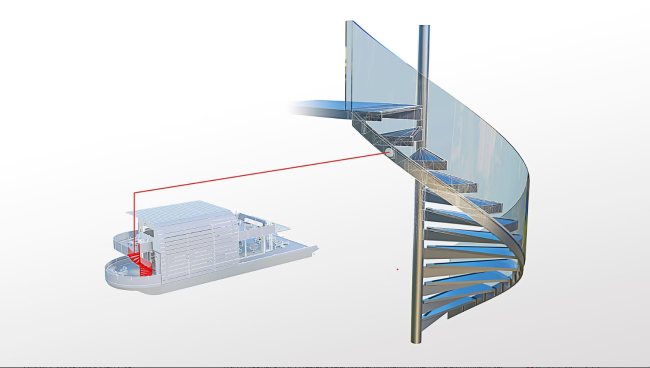
AutoCAD has long been the cornerstone of architectural design, offering powerful tools for both 2D drafting and 3D modeling. As one of the most recognized names in the industry, AutoCAD is a go-to choice for architects worldwide. It allows users to create precise blueprints, layouts, and building models, while also providing flexibility through customizable features.
Price: $175/month paid annually, $260/monthly. Free for students and educators
Features
- 2D Drafting and 3D Modeling: AutoCAD offers precise tools for creating detailed 2D floor plans and 3D models, making it ideal for a wide range of architectural tasks, from basic layouts to complex designs
- Cloud Collaboration: The cloud-based features allow real-time collaboration, providing easy access to drawings and updates from multiple locations, improving team efficiency
- Extensive Add-ons: AutoCAD’s vast library of plug-ins and templates helps streamline workflows for various architectural needs, from residential to commercial projects
Pros
- Industry standard
- Versatile for both 2D and 3D tasks
- Comprehensive resources and support
Cons
- Expensive licensing
- Steep learning curve for beginners
- Resource-intensive on hardware
2. Revit
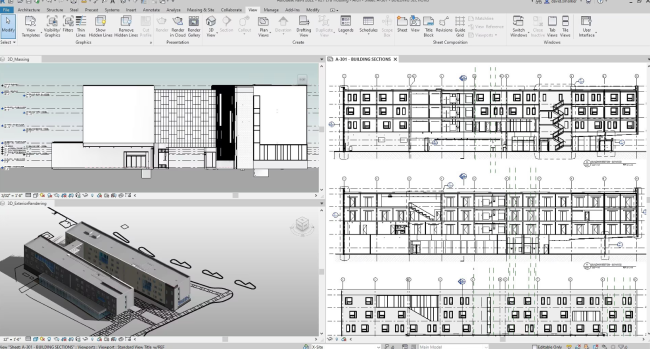
Revit is a powerful Building Information Modeling (BIM) software developed by Autodesk, specifically designed for architectural design, engineering, and construction. Unlike AutoCAD, which is primarily focused on 2D and 3D drafting, Revit uses a model-based approach, allowing users to create and manage complex building designs in a highly integrated environment.
Price: $251/month paid annually, $380/monthly. Free for students and educators
Features
- BIM: Revit enables users to create intelligent, data-rich 3D models that contain detailed information about a building’s components. This data-driven approach ensures better coordination and fewer errors in the design process
- Real-time collaboration: Revit’s cloud-based collaboration tools allow multiple team members to work on the same project simultaneously, improving efficiency and reducing the risk of conflicting changes
- Parametric design: With parametric modeling, changes to one part of the design automatically update related components, making it easier to maintain design integrity throughout the project lifecycle
Pros
- BIM capabilities for comprehensive project modeling
- Excellent collaboration with cloud-based tools
- Intelligent models that contain detailed building data
Cons
- High price compared to other software
- Complexity for beginners and requires training
- Resource-intensive and needs high-performance hardware
3. SketchUp Pro
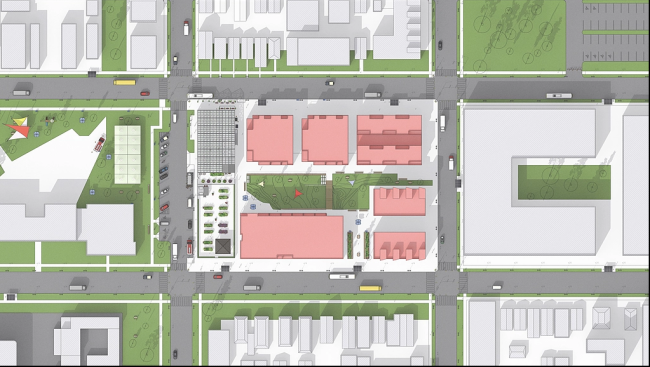
SketchUp Pro is a professional-grade 3D modeling software used by architects, designers, and engineers for creating precise models. Known for its intuitive interface and ease of use, SketchUp Pro is widely used in architectural design, interior design, and other creative industries. It provides a comprehensive set of tools for both beginners and advanced users, offering enhanced functionality compared to the free version.
Price: $33.25/month paid annually (Pro Annual), $68.25/month paid annually (Studio Annual)
Features
- User-friendly interface: SketchUp Pro’s simple and intuitive interface allows users to start modeling with minimal training, making it ideal for both beginners and professionals
- Advanced drawing tools: SketchUp Pro provides advanced tools for 3D modeling, including custom styles, parametric design tools, and CAD compatibility for precision
- 3D warehouse: Access to a vast library of pre-made models and components that can be integrated into designs, saving time and effort
- Rendering capabilities: With SketchUp Pro, users can integrate third-party rendering plugins such as V-Ray for high-quality renderings and visualizations
- Advanced export options: SketchUp Pro allows you to export models to a wide range of formats (CAD, PDF), providing flexibility in project collaboration
Pros
- Easy to learn with a simple interface
- Powerful features for professional modeling
- 3D warehouse offers a huge library of models
- Rendering and exporting advanced capabilities with plugins
Cons
- Limited features in free version (only available in Pro)
- Basic rendering without external plugins like V-Ray
- Requires subscription (annual cost may be a barrier for some)
4. Rhino
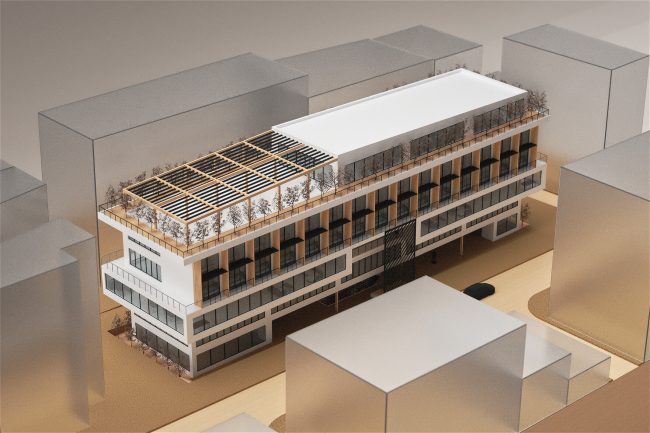
Rhino is a powerful 3D modeling software widely used in architecture, industrial design, and jewelry design. Known for its versatility, Rhino excels at handling complex and highly detailed 3D models. Unlike traditional CAD software, Rhino uses NURBS (Non-Uniform Rational B-Splines) to model curves and surfaces with incredible precision, making it ideal for freeform shapes and organic designs.
Price: $995 for a perpetual license (one-time payment)
Features
- NURBS modeling: Rhino’s NURBS-based modeling system allows for precise control over complex and freeform shapes, making it perfect for intricate architectural or industrial designs
- Wide compatibility: Rhino supports a vast array of file formats, allowing users to easily import and export models to other CAD software, which is crucial for collaborative work
- Customization: Rhino is highly customizable, with an extensive range of plugins and scripting options that extend its functionality to suit specialized design needs
- Rendering plugins: Although Rhino doesn’t come with built-in rendering, it supports many plugins like V-Ray and KeyShot, enabling users to produce photorealistic renderings
Pros
- Excellent for complex designs
- Highly customizable with plugins
- Precision with NURBS modeling
Cons
- Steep learning curve
- Limited native rendering without plugins
- Expensive (one-time cost)
5. ArchiCAD
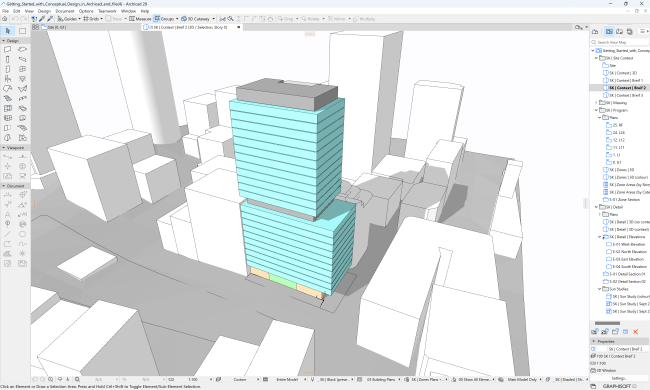
ArchiCAD is a leading Building Information Modeling (BIM) software developed by Graphisoft. It is specifically designed for architects, providing tools that allow for seamless integration of design, documentation, and visualization in one platform. ArchiCAD is known for its user-friendly interface and powerful BIM features, making it a popular choice for architectural firms worldwide.
Price: Various (you can see details here). Free for students and educators
Features
- BIM capabilities: ArchiCAD allows users to create intelligent 3D models with parametric elements, enabling better coordination and fewer errors during the design and construction phases
- Real-time collaboration: ArchiCAD’s BIMcloud enables real-time collaboration, making it easy for project teams to work together, share files, and update designs in real time from different locations
- Integrated visualization tools: ArchiCAD includes powerful visualization tools for creating photorealistic renderings and walkthroughs, allowing architects to present their designs in an engaging and realistic manner
Pros
- Strong BIM integration for comprehensive project management
- User-friendly Interface with a short learning curve
- Real-time collaboration for seamless teamwork
- Efficient documentation generated from the 3D model
Cons
- High cost for full features and subscriptions
- Limited compatibility with non-BIM software
- Requires high-end hardware for smooth performance on large projects
Conclusion
The right software can make all the difference in architecture, shaping the way we design and execute projects. Each of the tools I’ve covered: AutoCAD, Revit, SketchUp Pro, Rhino, and ArchiCAD, each has its own set of features that cater to different aspects of architectural work, whether it’s precision, collaboration or flexibility. By understanding what each tool offers, you can choose the one that aligns best with your needs, ensuring your projects are both efficient and impactful in 2026.
You may want to read other articles of mine here.

COMMENTS