
Redshift or Octane? This article breaks down how each renderer fits different Cinema 4D workflows, helping you choose the right one for your projects.
When working with Cinema 4D, one question I keep coming back to is whether Redshift or Octane is the better choice for a given project. From my experience, this question usually doesn’t come up at the beginning, but when projects start to scale: heavier scenes, longer animations, tighter deadlines, and a stronger need for control and stability. At that point, choosing a renderer is not only about which one looks better, but about which engine fits the workflow and production demands more effectively. In this article, I share my and many artists’ perspectives (on some discussion platforms) about Redshift and Octane based on real-world Cinema 4D usage. Hope that these can help you choose the suitable one for your projects.
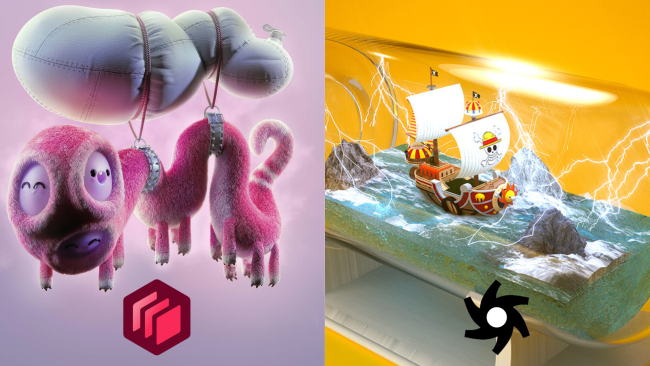
Overview of Redshift and Octane in Cinema 4D
When working with Cinema 4D, I don’t see Redshift and Octane as competing purely on image quality. Instead, the distinction becomes clearer when looking at how each renderer fits into real-world workflows, as repeatedly discussed across the Cinema 4D community.
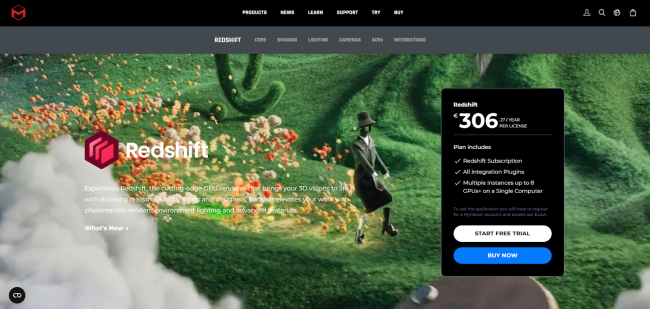
Redshift is a GPU-accelerated biased renderer that is now integrated directly into Cinema 4D and designed with production-oriented control and optimization in mind. In community discussions, Redshift is often associated with workflows where scene complexity increases over time: heavier geometry, more materials, longer animations, and stricter production constraints. Artists frequently point out that Redshift’s bias and control-oriented design make it easier to manage performance, memory usage, and consistency when projects start to scale.
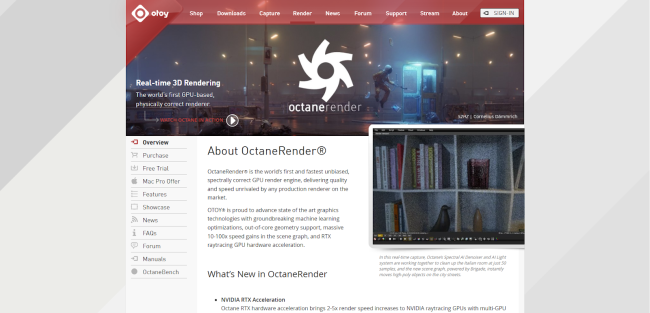
Octane, on the other hand, is commonly described as a physically based GPU renderer that prioritizes visually pleasing results with minimal setup. Across multiple threads, artists mention that Octane allows them to achieve clean lighting and attractive materials early in the process, which explains its popularity for look development, product visualization, and shorter-form projects. This “fast visual feedback” approach is repeatedly highlighted as one of Octane’s strongest advantages.
Should You Use Redshift or Octane in Cinema 4D?
This section focuses on the practical workflow differences between Redshift and Octane, based on patterns repeatedly discussed by Cinema 4D artists across multiple community threads.
1. Rendering Philosophy: Control and Fast Results
Across multiple community discussions, Redshift is consistently described as a renderer that prioritizes control. Its biased approach allows deeper intervention in sampling, lighting behavior, and performance optimization. This is why Redshift is often associated with workflows where predictability and scalability matter, especially when scenes become heavier or projects involve multiple shots that require consistent results. The trade-off is that it typically demands more technical decision-making upfront, but that investment tends to pay off as projects grow in complexity.
Octane, by contrast, is frequently discussed as a renderer that emphasizes fast, visually pleasing results early in the process. Many artists point out how quickly clean lighting and attractive materials can be achieved without extensive tuning. This approach makes Octane particularly appealing for look development, product visualization, and workflows where rapid visual feedback is more valuable than fine-grained technical control.
In short, Redshift and Octane are optimized for different priorities. One focuses on control and long-term production stability, while the other emphasizes speed and immediate visual payoff, a distinction that often explains why preferences shift as workflows evolve.
2. Image Quality and Materials
When it comes to image quality, discussions around Redshift and Octane rarely frame the difference as one renderer being objectively “better” than the other. Instead, the distinction is usually described in terms of how quickly and consistently a desired look can be achieved, depending on the type of project.
Across multiple threads, Octane is frequently associated with strong results in areas such as reflections, refractions, and glass materials. Many artists point out that these materials tend to look convincing with relatively little setup, which explains why Octane is often favored for product visualization and look development. The ability to reach visually pleasing results early in the process is repeatedly mentioned as one of Octane’s key strengths.
Redshift, on the other hand, is more often discussed in the context of control and consistency rather than immediate visual impact. Achieving a similar level of realism may require more deliberate setup, but the payoff is greater control over shading, lighting behavior, and material response across complex scenes. This becomes particularly relevant in production environments, where maintaining consistent results across multiple shots or revisions is more important than achieving a single striking frame quickly.
Redshift or Octane, the choice depends on priorities. Octane tends to excel when fast, high-impact visuals are needed early on, while Redshift is often preferred when material consistency and controllability matter across larger or more demanding projects.
3. Workflow and Ease of Use
How easy or difficult a renderer feels is largely subjective and depends on personal background and prior experience. In practice, once I’m already comfortable with either Redshift or Octane, learning the other one is usually not a major hurdle.
Both renderers follow familiar principles around lighting, materials, and scene setup. If those fundamentals are already in place, the transition mainly comes down to getting used to different controls and terminology rather than relearning rendering from scratch. This is also made easier by the fact that both Redshift and Octane are well supported, with extensive documentation and a large number of tutorials available.
As a result, the learning curve between the two tends to be much shorter than it appears at first glance. For most artists, the choice of renderer affects workflow preferences more than overall learnability.
4. Scene Complexity and Scalability
As scenes become heavier, the difference between Redshift and Octane becomes more apparent. This is usually the point where renderer choice starts to matter beyond visual quality.
With Redshift, handling complex scenes tends to feel more manageable as projects scale. Its biased design allows tighter control over sampling, lighting behavior, and memory usage, which becomes critical when dealing with dense geometry, multiple materials, or long animation sequences. This level of control makes it easier to keep render times predictable and results consistent across shots – an important factor in production-oriented workflows.
Octane can produce excellent results in complex scenes, but as scene complexity increases, limitations often surface sooner. Large textures, heavy geometry, and memory constraints can become bottlenecks, making optimization more challenging in larger or longer projects. For many artists, this is where Octane feels better suited to smaller-scale scenes or projects that don’t require extensive scaling.
The distinction here is not about capability, but about how comfortably each renderer scales. When scene complexity becomes a defining factor, Redshift’s control-oriented approach tends to align more naturally with production demands.
Summary
In Cinema 4D, choosing between Redshift and Octane comes down to project needs rather than overall quality. Octane fits best for look development, product visualization, stills, and shorter animations where fast setup and quick visual results matter. Redshift is better suited for heavier scenes, longer animations, and production workflows that require stability, consistency, and tighter control as projects scale.
Final Thoughts
For me, Redshift and Octane are not competing tools, but complementary ones. Each renderer shines under different conditions, and the real advantage comes from knowing when to use which. As workflows evolve and project requirements change, renderer preference often changes with them. Treating Redshift and Octane as flexible tools rather than fixed choices allows us to adapt more easily and focus less on the software itself, and more on delivering the work.
As Cinema 4D projects scale with heavier scenes and tighter deadlines, local hardware often becomes the main bottleneck rather than the renderer itself. At that point, using an external render farm becomes a practical way to keep production moving efficiently. Here is my article for you: Top 5 Best Render Farms for 2026.

COMMENTS