
Discover the most used 3D software for modeling, including SolidWorks, Fusion 360, Blender, 3ds Max and ZBrush. Learn their key features, pricing, pros, cons, and what each tool is best for.
3D modeling plays a central role in many industries today, from engineering and product design to animation and 3D printing. With so many tools available, choosing the right modeling software can be challenging, especially for beginners exploring the 3D workflow. Over the years, I see that a few programs have consistently stood out due to their powerful modeling capabilities, active user communities, and widespread adoption across different industries. Therefore, in this article, we take a look at some of the most used 3D software for modeling and what makes each of them a popular choice among professionals and hobbyists alike.
1. SolidWorks
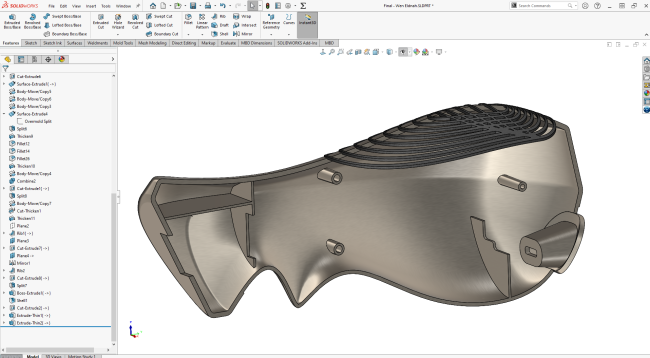
SolidWorks is one of the most widely used CAD software programs in engineering and manufacturing. It allows engineers and designers to create precise 3D parts, assemblies, and technical drawings for manufacturing.
Source: blogs.solidworks.com
Price: Various (depending on if you are business users/students/educators/… or Standard/Professional/Premium offer), you can see in detail here
Pros
- Powerful parametric modeling capabilities
- Excellent tools for assemblies and mechanical design
- Widely adopted in engineering and manufacturing industries
- Strong ecosystem of plugins, tutorials, and professional support
Cons
- High licensing cost
- Requires relatively powerful hardware
- Learning curve for beginners
Best for: Mechanical engineering, industrial product design and manufacturing workflows.
2. Autodesk Fusion 360
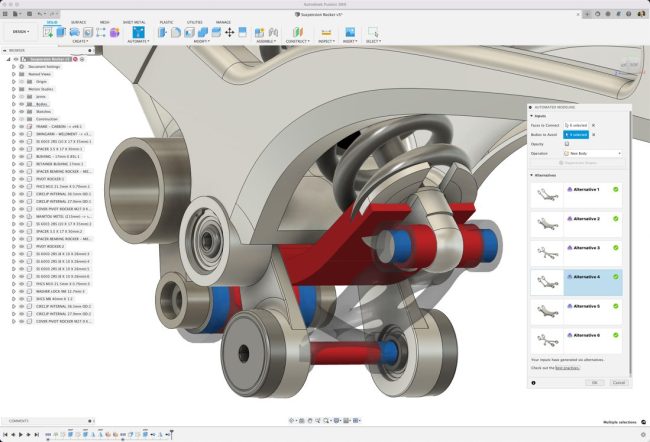
Autodesk Fusion 360 is a cloud-based CAD/CAM software widely used for product design, mechanical engineering, and 3D printing. It combines parametric modeling, simulation, and manufacturing tools in a single platform.
Source: Autodesk
Price: Fusion ($680/year), Manufacturing ($2,040/year), Design ($2,190/year)
Pros
- Powerful parametric modeling tools
- Integrated CAD, CAM, and simulation features
- Large community and learning resources
- Popular among makers and product designers
Cons
- Some advanced features require paid plans
- Requires internet connection for certain cloud features
- Performance may depend on hardware and internet speed
Best for: Product design, mechanical parts design, 3D printing projects, makers and startups.
3. Blender
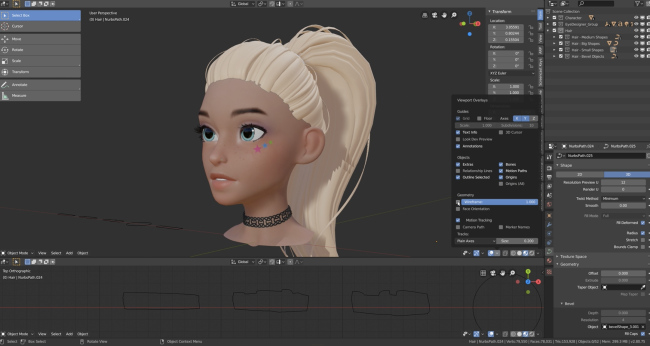
Blender is a free and open-source 3D software widely used for polygon modeling, sculpting, animation, and visual effects. Thanks to its powerful toolset and large community, it has become one of the most popular modeling tools among artists, designers, and hobbyists.
Source: CG Cookie
Price: Completely free and open-source
Pros
- Free with no licensing restrictions
- Powerful polygon modeling and sculpting tools
- Large global community and extensive tutorials
- Frequent updates and active development
Cons
- Not ideal for parametric mechanical CAD modeling
- Interface and workflow can be challenging for beginners
- Some engineering workflows require specialized CAD tools instead
Best for: Character and asset modeling, animation and visual effects, game asset creation and artistic 3D modeling.
4. Autodesk 3ds Max
Autodesk 3ds Max is a professional 3D modeling and animation software widely used in game development, architectural visualization, and visual effects. It is known for its powerful polygon modeling tools and flexible plugin ecosystem.
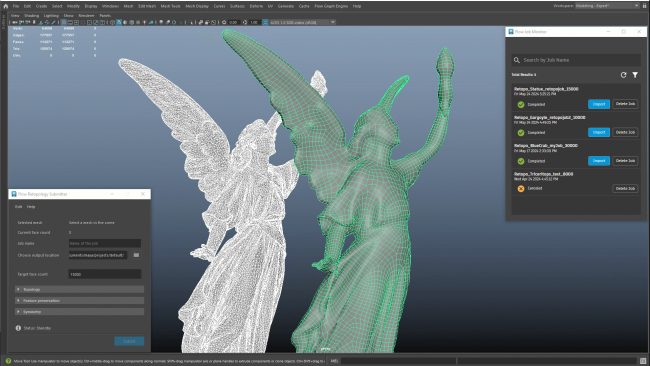
Source: Autodesk
Price: $2,010/year and $255/month
Pros
- Powerful polygon and mesh modeling tools
- Widely used in game development and architectural visualization
- Large plugin ecosystem and industry support
- Strong compatibility with many rendering engines
Cons
- High subscription cost
- Runs only on Windows
- Interface can feel complex for beginners
Best for: Game asset modeling, architectural visualization, VFX and animation production
5. ZBrush
ZBrush is a digital sculpting software developed by Maxon, widely used for creating highly detailed 3D models. It allows artists to sculpt complex shapes with millions of polygons, making it a standard tool in character modeling and creature design.
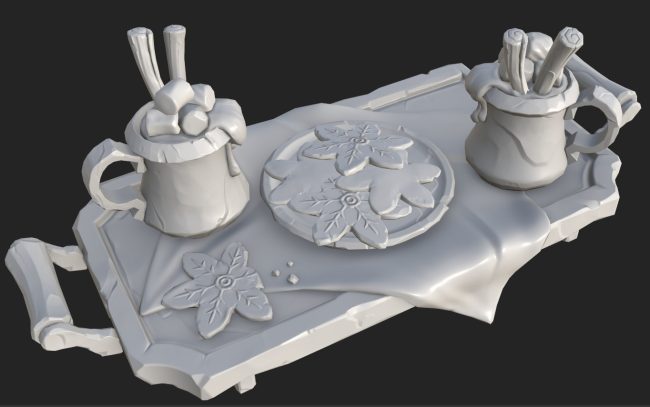
Source: Aysu Hoscan
Price: €55.35/month, €441.57/year
Pros
- Extremely powerful sculpting tools
- Handles very high polygon counts efficiently
- Widely used in film, game, and character design industries
- Large library of brushes and sculpting features
Cons
- Not designed for parametric or mechanical modeling
- Unique interface can be difficult for beginners
- Requires time to master advanced sculpting workflows
Best for: Character modeling, creature design, high-detail digital sculpting, and film and game production.
Final thoughts
3D modeling software has evolved significantly over the years, offering tools tailored to different industries and creative workflows. From engineering-focused CAD solutions like SolidWorks and Fusion 360 to creative modeling tools such as Blender, 3ds Max, and ZBrush, each software serves a distinct purpose. I think that choosing the right tool ultimately depends on the type of projects you work on, the level of precision required and your overall production workflow.
You may want to read other articles of mine here.

COMMENTS