
Choosing a Cinema 4D and Redshift render farm involves more than performance alone. This article highlights key considerations before making a decision.
Are you finding a Cinema 4D and Redshift render farm? As you‘ve known, Cinema 4D is a professional 3D software developed by Maxon, widely used for motion graphics, 3D animation, and visual effects production. Redshift is a GPU-accelerated, biased renderer designed for high-performance production rendering and is commonly used in professional 3D pipelines.
The combination of Cinema 4D and Redshift is widely adopted in production environments such as motion design, advertising, broadcast graphics, and visual effects, where both rendering speed and visual consistency are essential. As projects grow in complexity, artists often turn to render farms to support this workflow. However, render farms vary significantly in how they support Cinema 4D and Redshift, so you need to carefully consider some factors before making a decision. This article helps you examine key considerations when choosing a Cinema 4D and Redshift render farm and recommend some powerful ones that I’ve used for my projects.

Why Do You Need to Use a Cinema 4D And Redshift Render Farm?
A render farm is a group that uses multiple computers (render nodes) to process rendering tasks in parallel, enabling faster and more efficient rendering than a single workstation. In Cinema 4D & Redshift workflows, render farms are commonly used to handle production-scale rendering demands:
- Heavy scenes and long render times: High-resolution textures, complex lighting, dense geometry, and long animations can quickly exceed the capabilities of local hardware, leading to unmanageable render times
- Faster iteration and improved productivity: By offloading rendering tasks, artists can continue working on scene adjustments, lighting, or look development instead of waiting for renders to finish
- Scalability for animation projects: Render farms distribute frames across multiple nodes, significantly reducing total render time for animations and sequence-based work
- Cost-effective compared to local hardware upgrades: Using a render farm can be more economical than investing in high-end GPUs or maintaining in-house render infrastructure, especially for short-term or peak workloads
- Reliable support for deadline-driven production: For commercial, broadcast, and VFX projects,… render farms provide predictable performance and help teams meet tight deadlines without compromising quality
Considerations When Choosing Cinema 4D And Redshift Render Farm
One of the most important considerations when choosing a Cinema 4D and Redshift render farm is whether the render farm supports all Cinema 4D and Redshift versions, or at least the specific versions required by your project. Cinema 4D support does not automatically mean Redshift support, and some farms only enable Redshift for certain Cinema 4D releases. A render farm that supports all versions offers greater flexibility, especially when working with legacy projects or mixed pipelines.
Another key factor when finding a Cinema 4D and Redshift render farm is whether it supports both GPU and CPU rendering. While Redshift is a GPU-based renderer, Cinema 4D workflows may still rely on CPU render engines for testing, legacy scenes, or specific production needs. Having access to both processing options helps avoid workflow limitations and allows artists to choose the most suitable rendering approach for each task.
Finally, it is essential to understand how the Cinema 4D and Redshift render farm operates, particularly whether it follows a SaaS (queue-based) or an IaaS (remote machine) model. SaaS-based render farms provide convenience through managed environments but limit control over software versions, while IaaS solutions allow full control by letting users manage their own Cinema 4D and Redshift setups. Choosing the right model depends on the level of flexibility and responsibility an artist is comfortable with.
Some Recommended Cinema 4D And Redshift Render Farm For 2026
Fox Renderfarm

It’s a China-based cloud rendering service founded in 2009 and widely used by 3D artists worldwide. Operating on a SaaS model, Fox Renderfarm allows users to submit render jobs directly through its platform and plugins, with hardware and resource allocation handled automatically.
Price: Point-based, usage-based pricing depending on actual render time and render mode (CPU/GPU)
Discount and promotion: Free trial, Education discount, Referral program, Occasional promotions
Cinema & Redshift support:
| Cinema 4D version | Redshift version |
| R16 – R26 2023 – 2026 | 2.5.24 – 3.6.04 2025.0.1 – 2026.2.1 |
iRender
Established in 2019 in Vietnam, iRender Farm is one of the top render farms in my mind. It provides CPUs and single to multi-GPU with full control over remote servers. Built around an IaaS model, iRender allows users to run all software and engines by themselves without being locked into a specific workflow.
Price: $8.2 – $52 per node per hour, pay for the time remote machine runs
Discount and promotion: Free trial, Bonus for new users, Volume discount, Education discount, Seasonal sale, and Referral program
Cinema & Redshift support:
| Cinema 4D version | Redshift version |
| All versions | All versions |
Note: iRender provides 1 combo license Cinema 4D + Redshift for free for all users
RANCH Computing
RANCH Computing (from France) is another fully managed SaaS-based render farm that supports both CPU and GPU rendering across multiple applications. With an automated, upload-based workflow, it allows users to submit projects easily.
Price: Usage-based pricing based on actual render time and render type (CPU/GPU)
Discount and promotion: Free trial, Volume discount, Academic Program
Cinema & Redshift support:
| Cinema 4D version | Redshift version |
| R20, R21, R24 – R26 2023 – 2026 | 2026.2.1 |
GarageFarm
With 12 years of history, GarageFarm (from the UK) integrates directly with popular 3D software, allowing users to submit renders without complex setup. Operating on a SaaS model, it focuses on simplicity and convenience, with built-in tools and ongoing support that help streamline the rendering process.
Price: Credit-based, varies by actual render time, software, render engine and render type (CPU/GPU)
Discount and promotion: Free trial, Volume discount
Cinema & Redshift support:
| Cinema 4D version | Redshift version |
| R18 – R26 S22 – S26 2023 – 2026+ | 2+, 3+, 3.5+, 3.6+, 2026+ |
RebusFarm
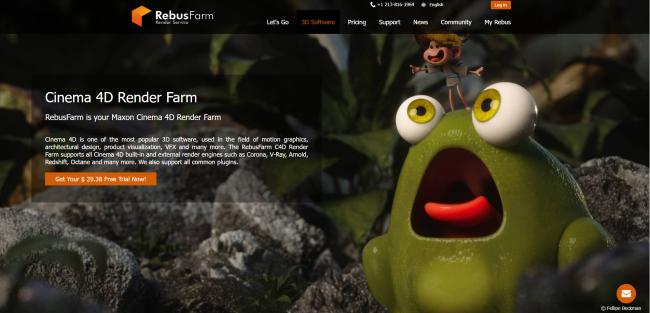
It’s a Germany-based cloud rendering service founded in 2006. Built on a SaaS model, it integrates directly with popular 3D software through its RebusDrop plugin, allowing users to submit renders straight from their working environment.
Price: Usage-based pricing based on actual render time and render type (CPU/GPU)
Discount and promotion: Free trial, Student discount, Volume discount
Cinema & Redshift support:
| Cinema 4D version | Redshift version |
| R14 – R21, R23, R25 S22, S24, S26 2023 – 2025 | 2.0, 2.5, 2.6, 3.0, 3.5, 3.6, 2025 |
Conclusion
From my perspective, choosing a Cinema 4D and Redshift render farm is not only about performance claims but also about how well the service aligns with your actual workflow. I believe factors such as software version support, CPU and GPU rendering options, and whether the farm operates as a SaaS or IaaS solution play a decisive role in long-term production stability. By understanding these differences, artists can select a render farm that reduces friction, avoids compatibility issues, and supports efficient production as project demands continue to grow in 2026.
Hope that my experience can help you choose a suitable Cinema 4D and Redshift render farm!

COMMENTS